


Blog Center

15 Laser-Cut Fall Home Decor Projects: Wood Choices and Build Planning
A strong fall decor project is more than a maple-leaf graphic. It must fit your material and work area, keep assembly manageable, and support finishing, gluing, and hanging. Choose 3 of the following 15 ideas and use your own files for the first prototype round.
Learn more
iKier K70 Max Deep Dive: What a 70W Desktop Diode Changes for At-Home Cutting
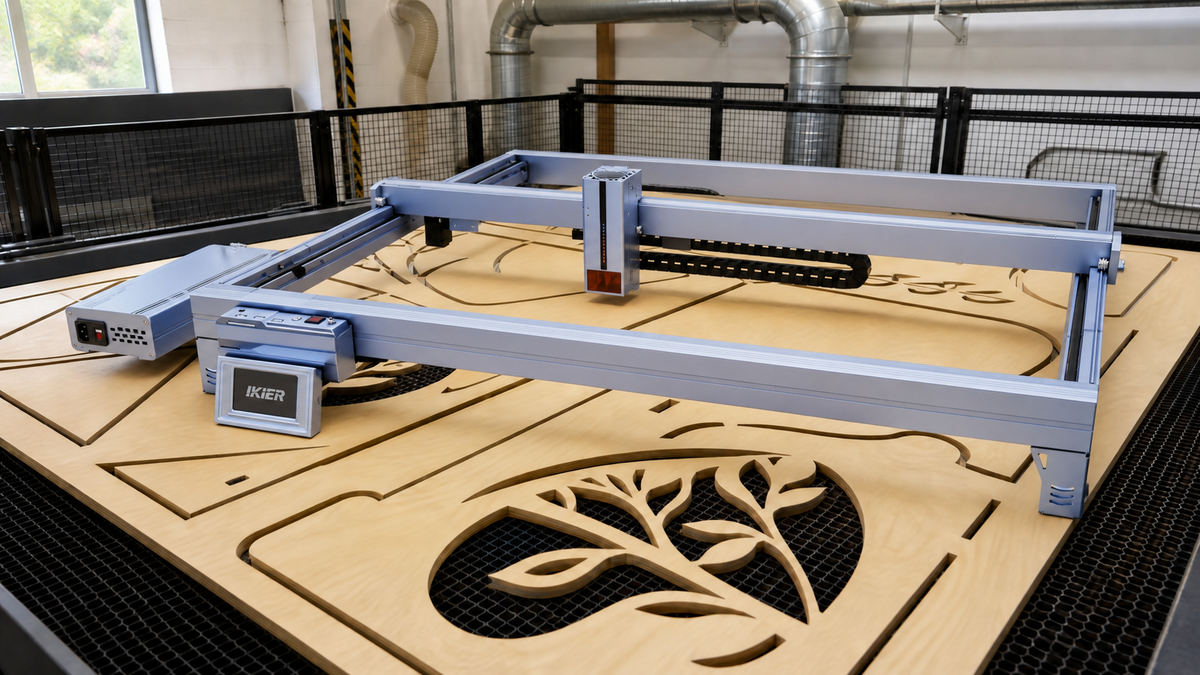
The iKier K70 Max brings a 70W-class cutting mode to an open 850×800mm work area, putting thick-stock cutting, large signs, and batch nesting on one platform. Plan the machine, enclosure, exhaust, and material-handling space together to make full use of the large-format workflow.
Learn moreHow a Small Shop Doubles Output With the K70 MAX: Efficiency Paths + ROI Math
When a small shop's order volume climbs, the bottleneck usually isn't the orders — it's the machine. Swapping back and forth on a single-mode power setting, losing half a day to material changes and refocusing, splitting large-format orders across multiple nestings. The K70 MAX's efficiency gains come from three paths — one-button dual-power switching, automation on an 850×800mm work area, and batch nesting — not simply from "more watts." This article breaks each path down and gives you a method for calculating ROI, so you can judge whether this machine is a worthwhile investment for your shop. Written for handmade shop owners who are already taking orders and evaluating an equipment upgrade.
Learn moreThe Complete Laser Engraver Safety Guide: Fire, Fume Extraction, and How to Read Class Ratings
A laser engraver vaporizes material with a high-energy beam. It is not a "printer with extra power." The risks come from three places: the Class rating of the laser radiation itself, the smoke particulate and toxic gases released by cutting, and open flame triggered by material vaporization. Whether you have an open-frame diode machine or a fully enclosed CO2 machine, the logic for handling these is the same. This guide is for beginners who want a straight answer on whether they need safety glasses, what counts as adequate extraction, and which fire extinguisher to buy.
Learn more
Why Put a 50W CO2 and a 1.6W IR Laser in One Machine? The Story Behind the iKier Master and 5 Ways to Monetize It (2026)
The iKier Master is a desktop laser machine that carries two light sources at once: a 50W CO2 laser and a 1.6W IR laser. The reason it exists, in one sentence: clear acrylic cutting and metal marking are the two most profitable order types in desktop laser work, yet they have always required two separate machines — if you wanted both kinds of orders, you had to buy both. This article explains the category gap, the product definition, and 5 data-backed monetization scenarios. It is written for craft entrepreneurs and studio owners currently shopping for equipment.
Learn more
Diode Laser vs CO2 Laser: Which Is Better for Metal, Acrylic, and Wood? — iKier K70 Max vs Master Guide (2026)
Should you take that 28mm thick-wood order? Can you make transparent acrylic LED signs? Are stainless steel dog tags within reach? Every product on your list forces the same choice: diode laser or CO2. There is no single answer, only a division of labor by material. We (iKier) put our two flagships' rated data side by side: the K70 Max (70W dual-mode diode) versus the Master (50W CO2). Conclusion first: the diode wins thick wood and opaque acrylic, CO2 wins transparent acrylic and glass surface engraving; for metal marking, both routes are only part-timers — the mainstay is 1064nm fiber/IR. Whether you run a workshop or a side hustle, you can match your own material list to a machine by the end of this guide.
Learn more
How to Choose a Laser Engraver for Wood: Can It Cut Acrylic? How Much Does It Cost? Can You Make Money? (2026 Buying Guide)
You want a laser engraver for wood — cutting thick boards, engraving patterns, maybe opening an Etsy shop — but the spec sheets all blur together: wattage, spot size, working area, air assist. Which one actually decides success? This guide works in reverse: start from the products you want to make, derive the specs you actually need, then compare machines — with real Etsy bestseller data showing which wood products are making money right now. Whether you're a workshop ready to buy or a side hustler just starting out, you'll leave with a clear answer on which machine fits.
Learn more
Why More Makers Are Choosing the iKier Master 50W CO₂ Laser Cutter
Built for Creative Work and Small-Batch Production Personalized products are everywhere right now. Research from Influencer Marketing Hub and Goldman Sachs shows that the creator economy is expected to keep growing in the coming years [1][2]. Platforms like Etsy, Shopify, and TikTok Shop are also driving more demand for small-batch work, faster turnaround times, and made-to-order items [2][3]. From wedding décor and personalized gifts to branded merchandise and home décor pieces, customers want something that feels less mass-produced. That’s why laser machines are no longer just industrial equipment. For many makers and shop owners, they’ve become everyday tools for creating, engraving, and selling products. People don’t just want “a laser machine” anymore. They want something that can: ● Run reliably over time ● Work with different materials and products ● Fit into smaller studios and workspaces ● Be easier to maintain and operate ● Keep up with busy seasons The iKier Master 50W CO₂ Laser Cutter was made with everyday makers in mind. Unlike larger industrial lasers, it feels much more practical for home studios, Etsy sellers, small shops, and side hustles. What Makes the iKier Master Different iKier Master 50W CO₂ Laser Cutter Price: $2399 (Promotional Price: $2199) Key Features ● FlyLock Optical Locking System ● Lightweight body at approximately 28 kg ● Dual-laser setup: 50W CO₂ laser + 1.6W infrared laser ● Expandable working area: 500 × 300 mm → 500 × 800 mm ● 5-inch HD smart touchscreen ● 16MP AI vision positioning system Why More Makers Are Choosing It 1. Less Downtime After Moving the Machine Traditional CO₂ laser machines often need optical recalibration after being moved or transported. If you regularly bring your laser to markets, events, trade shows, or temporary workspaces, that usually means extra setup time and interruptions when trying to fill orders. The FlyLock Optical Locking System keeps the optical path more stable during transport, so you can get back to work faster. ● Studios ● Warehouses ● Trade shows ● Pop-up events ● On-site engraving setups And honestly, moving a heavy laser machine around isn’t fun. Less recalibration makes a big difference during busy seasons. 2. Easier to Use in Smaller Workspaces Traditional CO₂ laser machines can be big, heavy, and difficult to move around — especially in smaller workspaces. For a lot of small studios, space matters just as much as power. As more makers start home-based businesses and side hustles, portability becomes a much bigger deal. EU manual handling guidelines commonly treat 30 kg as an important threshold for manual lifting. Machines above that range often require additional assistance or lifting equipment to reduce long-term physical strain. At around 28 kg, the iKier Master has a relatively lightweight structure for a CO₂ laser machine, making it a good fit for: ● Home studios ● Small shops ● Trade shows and craft fairs ● Backroom retail setups ● Creator workspaces More people can start selling engraved or handmade goods without needing a huge industrial setup. 3. Work With More Materials Mixed-material designs are showing up more often in personalized goods, especially combinations like wood, acrylic, leather, and metal [3][8]. Examples include: ● Wood and acrylic wedding signs ● Engraved metal keepsakes ● Acrylic lighting décor ● Leather and metal nameplates For makers and Etsy sellers, working with more materials means more product ideas and more types of orders. The iKier Master uses a dual-laser setup: 50W CO₂ Laser Suitable for: ● Wood ● Acrylic ● Leather ● Cardboard ● Rubber ● Various non-metal materials Cutting capability includes: ● Approximately 13 mm wood ● Approximately 18 mm acrylic 1.6W Infrared Laser Suitable for: ● Stainless steel ● Aluminum ● Brass ● Highly reflective metals ● Surface engraving on selected precious metals It can work with more than 400 materials. For small shops, that doesn’t just mean making more products — it also opens the door to higher-value products. Things like acrylic wedding signs, engraved gifts, and mixed-material décor pieces often sell at much better margins than simple wooden projects. 4. Helps Speed Up Small-Batch Work More independent sellers are moving toward small-batch orders and faster delivery expectations [2][3]. But real efficiency isn’t only about engraving speed. Fast engraving doesn’t mean much if setup takes forever. A lot of time also goes into: ● Material positioning ● Design alignment ● Arranging designs ● Preparing batches Most laser-compatible materials commonly come in formats such as: ● A3 ● 12 × 20 inches ● Widths under 500 mm The standard working area is 500 × 300 mm and can be expanded to 500 × 800 mm, covering most commonly used material sizes. The larger workspace is especially useful for repeat jobs and larger batches. It also comes with: 16MP AI Vision Positioning System Used for material alignment and design positioning. For higher-volume orders, reducing repetitive positioning and material adjustments can help get products out much faster. ● Wedding place cards ● Acrylic signs ● Personalized gift sets ● Bulk Etsy orders ● Holiday products during busy seasons 5. Less Dependence on a Computer Traditional laser machines usually need to stay connected to a computer during operation. In places like trade shows, retail stores, pop-up events, or smaller workshops, that can make the setup more complicated than it needs to be. The iKier Master includes: 5-Inch HD Smart Touchscreen Supporting: ● USB file import ● Offline operation ● Direct machine-side control No need to keep a laptop connected the whole time. ● In-store engraving ● Pop-up events ● Trade show production ● Compact workspaces 6. Made for Everyday Use For home studios and everyday business use, safety matters just as much as performance. The iKier Master includes multiple built-in safety features: ● Flame detection system ● Automatic abnormality alerts ● Lid-open auto-pause protection Using an air purification system is also recommended to help reduce smoke during engraving and cutting. A lot easier to use for long days in the workshop. A Good Fit for Modern Maker Businesses Demand for personalized goods keeps growing, making small-batch and made-to-order work more common than ever [2][3][6]. For makers, Etsy sellers, and independent brands, laser machines need to do more than engrave reliably. They also need to adapt to different materials, different products, and smaller workspaces. With its dual-laser setup, expandable workspace, and lightweight design, the iKier Master is a good fit for: ● Personalized gifts ● Wedding and event décor ● Home décor products ● Branded merchandise ● Small-batch orders ● Home studios and creative workspaces Unlike larger industrial machines, the iKier Master focuses more on flexibility, material compatibility, and everyday use. Application Scenarios Mobile Businesses and Live Customization Whether you’re engraving products at a weekend market or creating wedding signs on-site, the iKier Master is made for flexible work environments. ● Trade shows ● Markets and fairs ● Weddings ● Live event customization Quick setup and stable operation make on-site engraving and same-day delivery much easier. It can also help turn offline traffic into online store sales. Small Shops and Custom Retail Businesses Personalized wedding décor and event products continue to grow in popularity, especially during weddings, celebrations, and holiday seasons [4][5][6][10]. Popular items include: ● Name place cards ● Acrylic welcome signs ● Wedding favors ● Custom table signs ● Personalized keepsakes Common applications include: ● Wedding welcome signs ● Metal engraving ● Acrylic décor ● Holiday ornaments ● Home décor products ● Branded merchandise A practical option for sellers looking to expand into personalized goods. Home Studios and Independent Makers Personalized gifts, wedding décor, and home decoration products continue to see strong demand worldwide [2][3][6][9]. More people are turning home studios into real businesses. Compared to traditional inventory-heavy models, made-to-order work reduces inventory pressure while giving makers more flexibility with small-batch projects. The iKier Master makes it easier to: ● Turn hobbies into side income ● Turn ideas into products people actually want to buy ● Explore personalized product markets more freely Final Thoughts Not everyone has room for a huge industrial laser machine. But makers and small shops still need something reliable enough for everyday work. With its dual-laser setup, lightweight structure, expandable workspace, and AI vision positioning technology, the iKier Master 50W CO₂ Laser Cutter offers professional-level engraving and cutting in a format that’s much easier to use day to day. Whether you’re starting a side hustle, running an Etsy shop, or handling busier seasons, the iKier Master helps you keep up with orders without needing a huge workshop setup. References [1] Influencer Marketing Hub. Creator Economy Statistics 2025. Available at: 20 Creator Economy Statistics That Will Blow You Away in 2023 [2] Shopify. What Is the Creator Economy? Available at: A Guide to the Creator Economy - Shopify [3] Etsy. Etsy Trend Report 2024. Available at: https://www.etsy.com/seller-handbook/article/1273891085205 [4] Etsy. Wedding Trends Report. Available at: https://www.etsy.com/seller-handbook/article/wedding-trends [5] The Knot. Real Weddings Study. Available at: https://www.theknot.com/content/real-weddings-study [6] Grand View Research. Laser Processing Market Size & Trends Report. Available at: https://www.grandviewresearch.com/industry-analysis/laser-processing-market [7] MarketsandMarkets. Laser Technology Market Report. Available at: Modular Data Center Market Report 2024-2030, By Solutions, Geo, Tech [8] Pinterest Predicts. Home & Wedding Decor Trends. Available at: https://business.pinterest.com/pinterest-predicts/ [9] Statista. Personalized Gifts Market Statistics. Available at: https://www.statista.com/ [10] WeddingWire. Wedding Industry & Consumer Trends. Available at: https://www.weddingwire.com/wedding-ideas
Learn more
Wie der iKier K1 Laser meine Werkstatt verwandelt hat | Fat Airs Geschichte
Entfessle deine Kreativität: Wie der iKier K1 Laser meine Werkstatt verwandelte Begleite den YouTube-Kreator Fat Air auf seiner Reise vom Anfänger zum Experten mit dem iKier K1 Lasergravierer Vom Anfänger zum Maker: Meine iKier Laser-Schneid- & Gravierreise Alles begann vor zwei Jahren mit einer Kiste. Darin war mein neuer iKier K1 Pro 24W Lasergravierer, und um ehrlich zu sein, ich hatte keine Ahnung, wo ich anfangen sollte. Die Möglichkeiten schienen endlos, aber auch überwältigend. Ich fing einfach an, indem ich Zeichnungen für eine Murmelbahn herunterlud. Die Freude, sie zu bauen, war unglaublich, und was noch wichtiger war, ich begann eine rasante Ausbildung in der kritischen Beziehung zwischen Laserleistung, Geschwindigkeit und Materialeinstellungen. Zu lernen, wie man diese Parameter manipuliert, um die gewünschten Ergebnisse zu erzielen, war ein Wendepunkt. Eine Welt der Kreativität tat sich auf. Ich hatte dieses Gefühl der magischen Möglichkeiten seit meinem ersten 3D-Drucker vor zehn Jahren nicht mehr gespürt. Meine neue Mission war klar: Dinge zu erschaffen, die einzigartig meine waren. Vorstellung zum Leben erwecken: Mein iKier Projektportfolio Die wahre Magie geschah, als ich begann, meine Fähigkeiten auf persönliche Projekte anzuwenden. Hier sind ein paar, die die Vielseitigkeit eines Diodenlasers zeigen: 1. Die verzauberten LED-Spiegel Unter Ausnutzung meiner wachsenden Erfahrung mit verschiedenen Oberflächen experimentierte ich mit dem Gravieren von Glas. Ich perfektionierte eine Technik zum Erstellen zarter Gravuren auf der Rückseite von Spiegeln. Dies führte zur Kreation von "magischen LED-Spiegeln" für meinen Sohn und meine Tochter. Die wahre Verzauberung kommt, wenn sie sich automatisch aufleuchten, sobald man vorbeigeht, und einen Funken Staunen in ihre Zimmer bringen. Zauberspiegel mit Diodenlaser und Lightburn Hier zeige ich dir, wie ich einen wunderschönen, batteriebetriebenen LED-Zelda-Spiegel mit Lightburn entworfen habe. Die kompletten Bauanleitungen sind in diesem Video. Ich hoffe, dir gefällt das Video. Projektdetails ansehen 2. Ein maßgeschneiderter Kopfhörerständer für Reiter Als meine Tochter einen Kopfhörerständer anforderte, sah ich eine weitere Gelegenheit. Wir druckten den Kopf ihres Lieblingspferdes in 3D, und während der Druck perfekt war, waren meine Malerkünste... nun ja, sagen wir, sie glichen Kindergartenkunst. Unbeirrt versuchte ich es mit einer Airbrush. In Minuten wurde das Modell mit atemberaubenden, verlaufenen Farben verwandelt. Um es zu präsentieren, verwendete ich meinen iKier K1 Pro Max 48W mit seiner großen Arbeitsfläche, um eine wunderschöne Holz-Wandplatte zu gravieren – ein perfektes Beispiel dafür, wie 3D-Druck und Laserschneiden harmonisch zusammenarbeiten können. Pferdekopf in 3D Da meine süße Tochter Pferde liebt und einen Platz für ihre Bluetooth-Kopfhörer brauchte, bekam ich eine STL-Datei eines Pferdekopfs und druckte sie mit meinem Ender 3 V3 Plus. Die Schichthöhe beträgt 0,2 mm, die Füllung 10 %, und das Creality Hyper PLA wurde bei 220 °C mit einer maximalen Geschwindigkeit von 300 mm/s gedruckt. Projektdetails ansehen 3. Die leuchtende Retro-DJ-Konsole Als ehemaliger DJ wollte ich ein Dekostück für meine Studiowand. Ich träumte von einer beleuchteten, dekorativen DJ-Konsole. Ich wusste, dass ein Diodenlaser klares Acrylglas nicht schneiden kann, aber ich war neugierig auf schwarzes Acrylglas. Nach einigen Tests fand ich die perfekten Einstellungen für sowohl Schneiden als auch Gravieren. Ich entwarf die Konsole in der Lightburn-Software und verwendete eine große Platte, die auf das großzügige 750 mm x 410 mm Bett des K1 passte. Ich fügte LEDs hinzu und programmierte einen Arduino, um zwei OLED-Displays und einen rotierenden Spurenlichteffekt zu steuern, und erweckte so meine ganz eigene, vollständig maßgeschneiderte DJ-Konsole zum Leben. Acrylglas-Deko-DJ-Konsole Ich zeige dir hier, wie ich Acrylglas mit einem Diodenlaser graviere und schneide. Daraus habe ich eine LED-Deko-DJ-Konsole gebaut. Das Ganze beinhaltet 3D-Druck, Epoxidharz und Arduino. Weitere Details kannst du bald auf meiner Seite nachlesen. Ich hoffe, dir gefällt diese kleine Werkstattgeschichte. Projektdetails ansehen 4. Der Star-Wars-Mythosaur-Schädel mit Herzschlag Inspiriert von einem Star-Wars-Marathon mit meinem Sohn erschuf ich einen Mandalorianischen Mythosaur-Schädel. Ich druckte den Schädel in transparentem Harz, beschichtete ihn mit Beton und ließ ihn rissig werden. Wenn er von hinten beleuchtet wird, erzeugt er ein faszinierendes, herzschlagähnliches Leuchten. Für die gravierte Holzbasis mischte ich Kaffeepulver mit Leim in die Farbe. Bevor sie trocknete, verwendete ich eine Flamme, um sie zu erhitzen und so eine fantastische, rissige Steintextur zu erzeugen. Ein letzter Schliff war ein Arduino, der mit WLED programmiert wurde, um die Runen mit einem rotierenden Licht zu animieren. Dieses Projekt lehrte mich, wie auch der 3D-Druck, einen Schritt zurückzutreten und Herausforderungen aus einer neuen Perspektive zu betrachten. Sieh dir das Mythosaur-Schädel-Video an Ausgewählte YouTube-Videos Sieh dir diese detaillierten Videos an, die den iKier Laser in Aktion zeigen: Laser iKier K1 pro MAX 48W Vorstellung & Leistungsvergleich Super Laser - iKier K1 pro 24W Vorstellung und Kalibrierung Gravieren von Gläsern und Glasscheiben - Diodenlaser iKier für Kreatoren: Eine Bewertung aus der Werkstatt Nach Jahren der Nutzung passt die iKier-Designphilosophie perfekt zu dem, was Kreatoren benötigen: Zugänglichkeit: Die Maschinen sind für Leute wie mich gebaut. Sie finden eine Balance zwischen Benutzerfreundlichkeit und leistungsstarker Fähigkeit. Preis-Leistungs-Verhältnis: Die Preisgestaltung macht Kreativität auf professionellem Niveau für Hobbyisten, die von einer Heimwerkstatt aus arbeiten, und Unternehmer, die ein kleines Unternehmen gründen, zugänglich. Diese Kombination aus Technologie, Präzision und Erschwinglichkeit ist genau das, was die Maker-Community braucht. Laser Service – Geschenkideen Fazit: Dein kreativer Horizont wartet Meine Reise mit dem 3D-Druck führte mich dazu, 3D-CAD zu lernen, was mir wiederum zeigte, dass ein Diodenlaserschneider das perfekte Werkzeug war, um mein kreatives Universum zu erweitern. Ich lag richtig. Ich ging von einfachen heruntergeladenen Modellen dazu über, meine eigenen einzigartigen Kreationen zu entwerfen und auszuführen. Erschwingliche Materialien wie Holz, Schiefer, Glas und Kunststoff wurden meine Leinwand. Ich teile diese Reise jetzt auf meinem Fat Air YouTube-Kanal und auf meinem Blog unter traum-hobby.de. Mein Ziel ist es, andere zu inspirieren. Ich hoffe, meine Projekte zeigen dir, was möglich ist, und geben dir das Vertrauen, etwas Neues zu beginnen – etwas, das dich mit demselben Stolz und derselben Freude erfüllt, die ich empfinde, wenn ein fertiges Projekt einen Raum erhellt und ein Lächeln in jemandes Gesicht zaubert. Ist das nicht der beste Grund, zu erkunden, was du mit einem iKier Laser erschaffen kannst? Tritt der iKier Facebook-Gruppe für mehr Inspiration bei!
Learn more